Rakeback
Rakeback provides players with an opportunity to earn rewards in their real wallet through participation in sports and casino games. By engaging in betting activities, players not only enjoy the thrill of gaming but also have the chance to accumulate additional cashback, with the potential for increased rewards based on their VIP tier status. Ensure that the back office user has the ability to utilize Rakeback features. In the User Management, choose Rakeback Can Modify to give the backoffice user the full access (to view and modify). To grant a particular player the opportunity to earn Rakeback, you can activate this feature by selecting a specific user in the Player Management.
 Just like the Level Up Bonus and Cashback Rebate, when Rakeback is toggled ON, players will earn Rakeback and will also appear in the player’s menu and transactions page.
 I. Create a New Rakeback
To get started, go to CHARM > VIP > Rakeback
Click the plus icon and fill the fields below.
I. Create a New Rakeback
To get started, go to CHARM > VIP > Rakeback
Click the plus icon and fill the fields below.
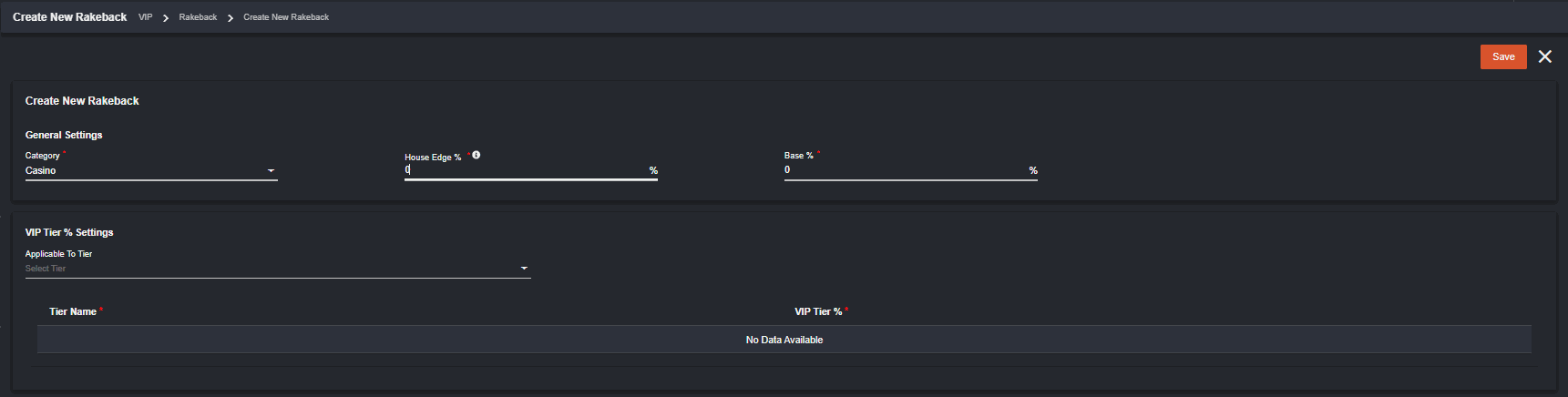 General Settings
The backoffice user can create one record per category (sportsbook/casino) as well as set the base % and the house edge %. You can see that there is a computation provided once you place your pointer in the (i) icon beside House Edge %.
Committed Wager * House Edge % (Base % + VIP Tier %).
VIP Tier % Settings
Applicable To Tier - you can select which tier/s will this Rakeback be available and set the VIP Tier % in each tier.
General Settings
The backoffice user can create one record per category (sportsbook/casino) as well as set the base % and the house edge %. You can see that there is a computation provided once you place your pointer in the (i) icon beside House Edge %.
Committed Wager * House Edge % (Base % + VIP Tier %).
VIP Tier % Settings
Applicable To Tier - you can select which tier/s will this Rakeback be available and set the VIP Tier % in each tier.
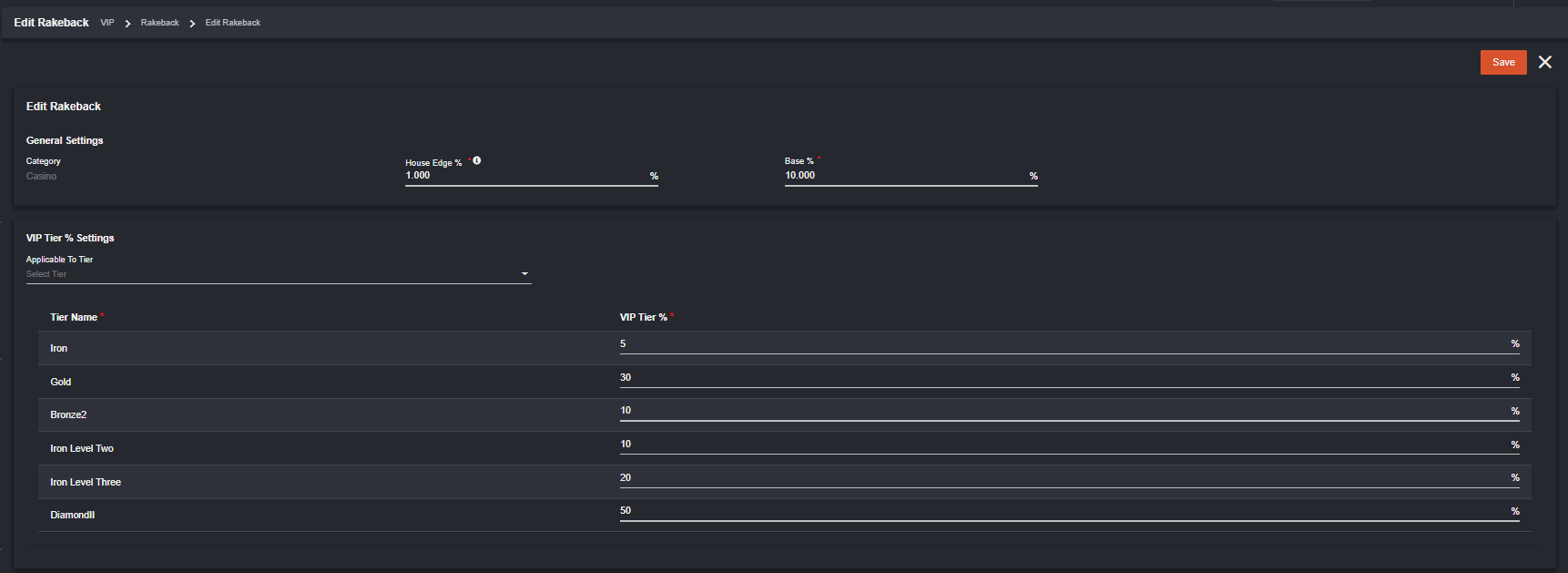
 Once Saved, it will appear in the Rakeback Back office page where the back office user has the option to view and edit.

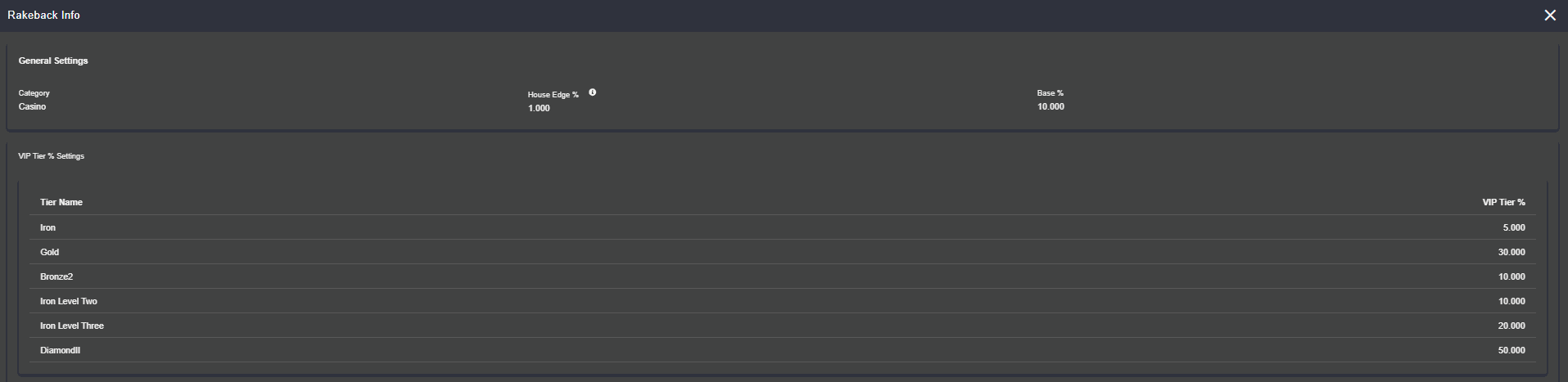 Since you can only set one per category at a time, all other fields can be edited except for the category itself.
 II. Rakeback Reports and Transactions
Another permission is needed to access Rakeback in Reports.
II. Rakeback Reports and Transactions
Another permission is needed to access Rakeback in Reports.
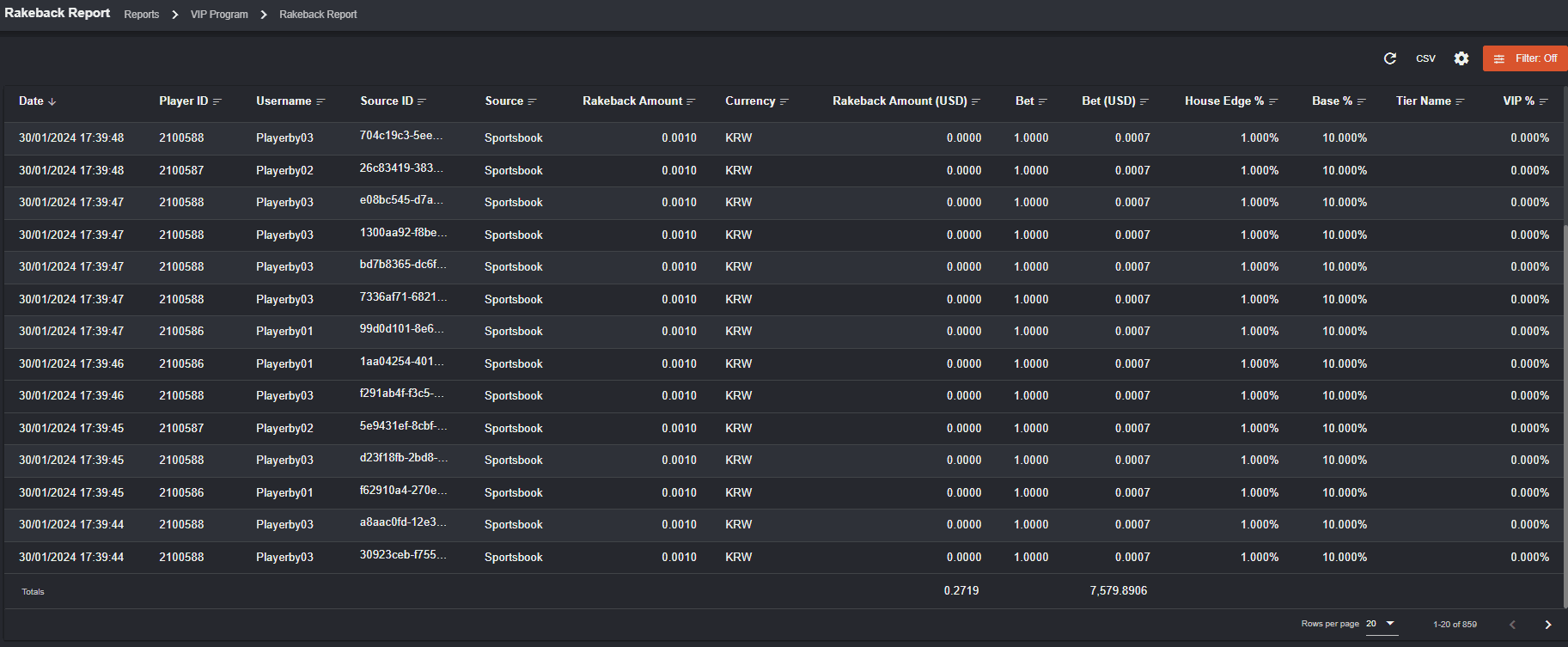
 To navigate, go to Reports > VIP Program > Rakeback Reports
All bet transactions made by the players using Rakeback will appear here.
To navigate, go to Reports > VIP Program > Rakeback Reports
All bet transactions made by the players using Rakeback will appear here.
 Within Player Management > Transactions, you can utilize the filter option to categorize Rakeback transactions.
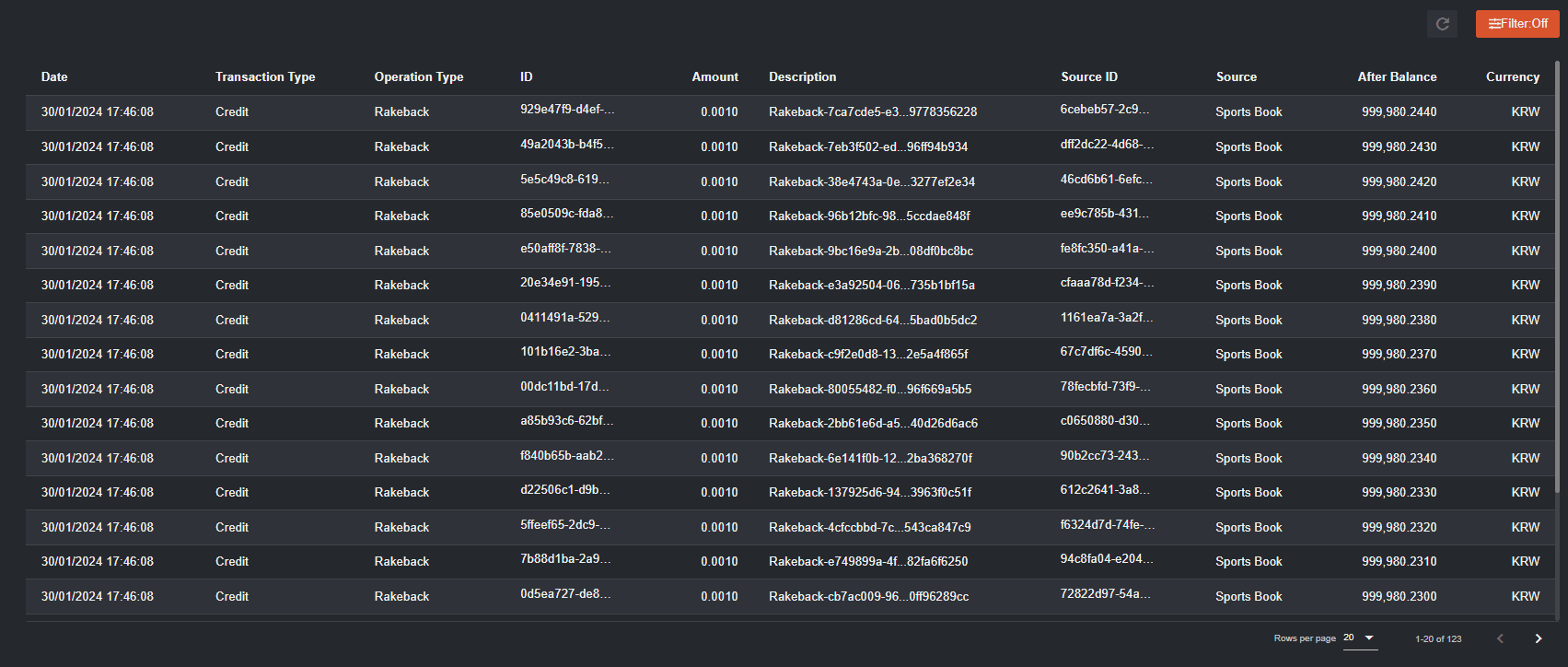 To see details of the bet, click the source ID of the bet.
 With Rakeback being granted for every sports/casino bet made, the associated amount is added to the player’s real wallet following the settlement of each bet.
This is how players see Rakeback: How Players see Rakeback
With Rakeback being granted for every sports/casino bet made, the associated amount is added to the player’s real wallet following the settlement of each bet.
This is how players see Rakeback: How Players see Rakeback
How Players see Rakeback
Enabling Rakeback in the VIP Settings within the back office will make it visible in the player’s menu. The player can access it by clicking on their profile and then choosing the VIP option.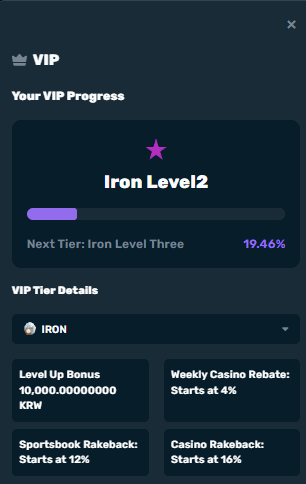 *the VIP display in Level Up Bonus, Weekly Casino Rebate, Sportsbook/Casino Rakeback appear as how they are set up in the backoffice
To see all the player’s transactions, go to Player Transactions > Rewards > Rake Back. Apply a date filter to view specific transactions within the desired timeframe.
*the VIP display in Level Up Bonus, Weekly Casino Rebate, Sportsbook/Casino Rakeback appear as how they are set up in the backoffice
To see all the player’s transactions, go to Player Transactions > Rewards > Rake Back. Apply a date filter to view specific transactions within the desired timeframe.
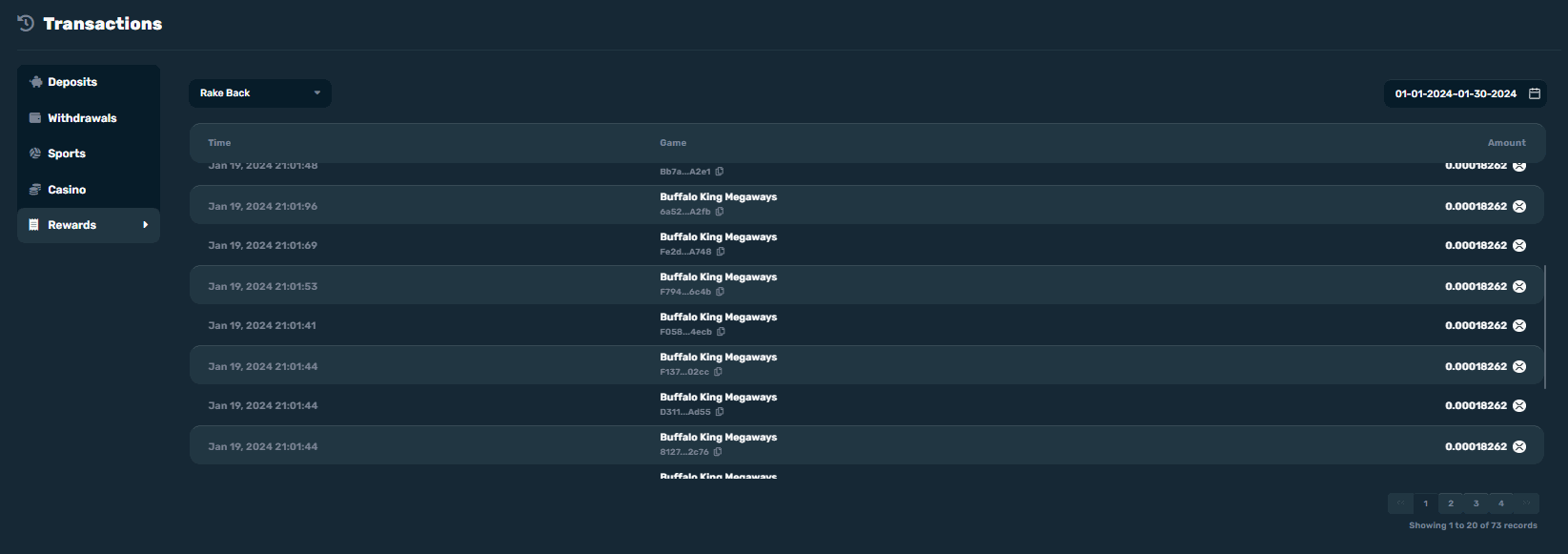 Note that in order for a specific player to earn Rakeback, “Can earn VIP rakeback” should be activated in the player’s capabilities.