Financial Reports: Column Sorting and Reordering
The Backoffice is constantly improved to make it a user-friendly tool for the user. The sort function’s inclusion makes it easier for the Backoffice user to sort out the data and rearrange the columns as they please. To navigate, you can click Reports > Financial > Deposit Request- A sortable column has a sort icon
 .
. - The Arrow (↑) represents an ascending order of the value while the (↓) represents a descending order in the specific column.
- To rearrange the order of the columns, click the column you want to move and drag it to your desired order.
- You will see this symbol
 as an indication that a column can be moved.
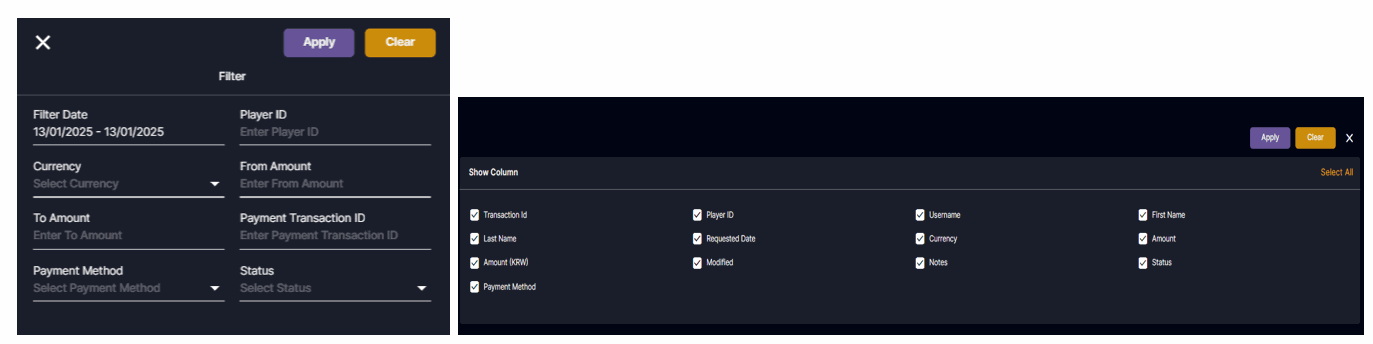
Deposit Report

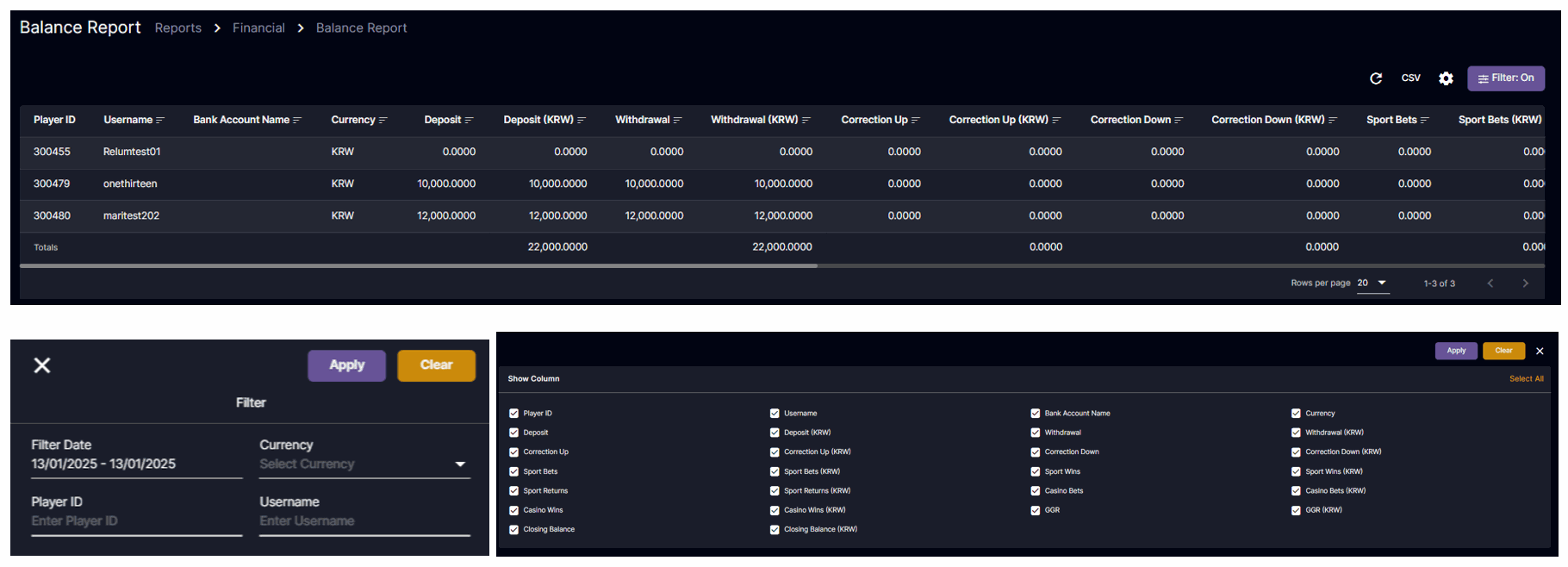
Balance Report
Player Report
The Backoffice user has the ability to set the filter they want.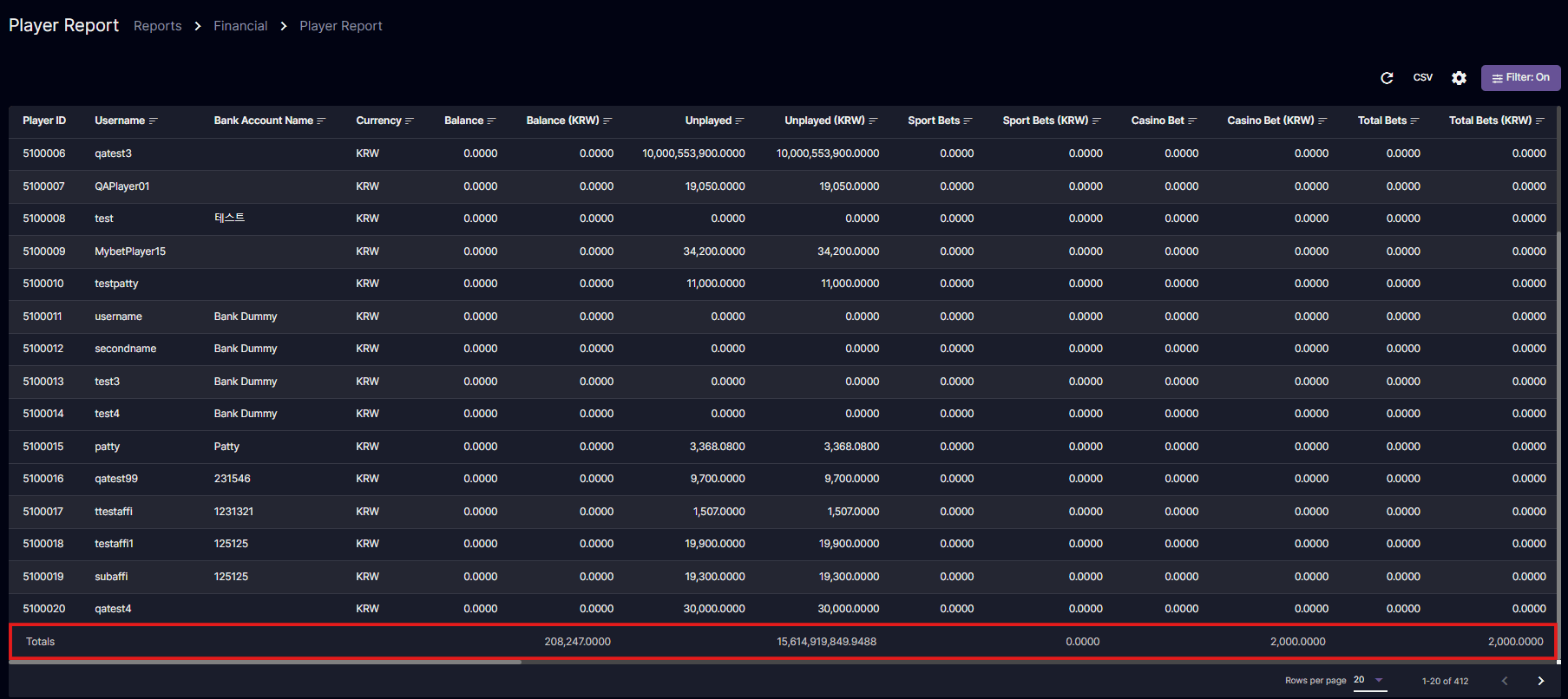
You can now see the ‘Totals’ (KRW/USD).

Payment Report
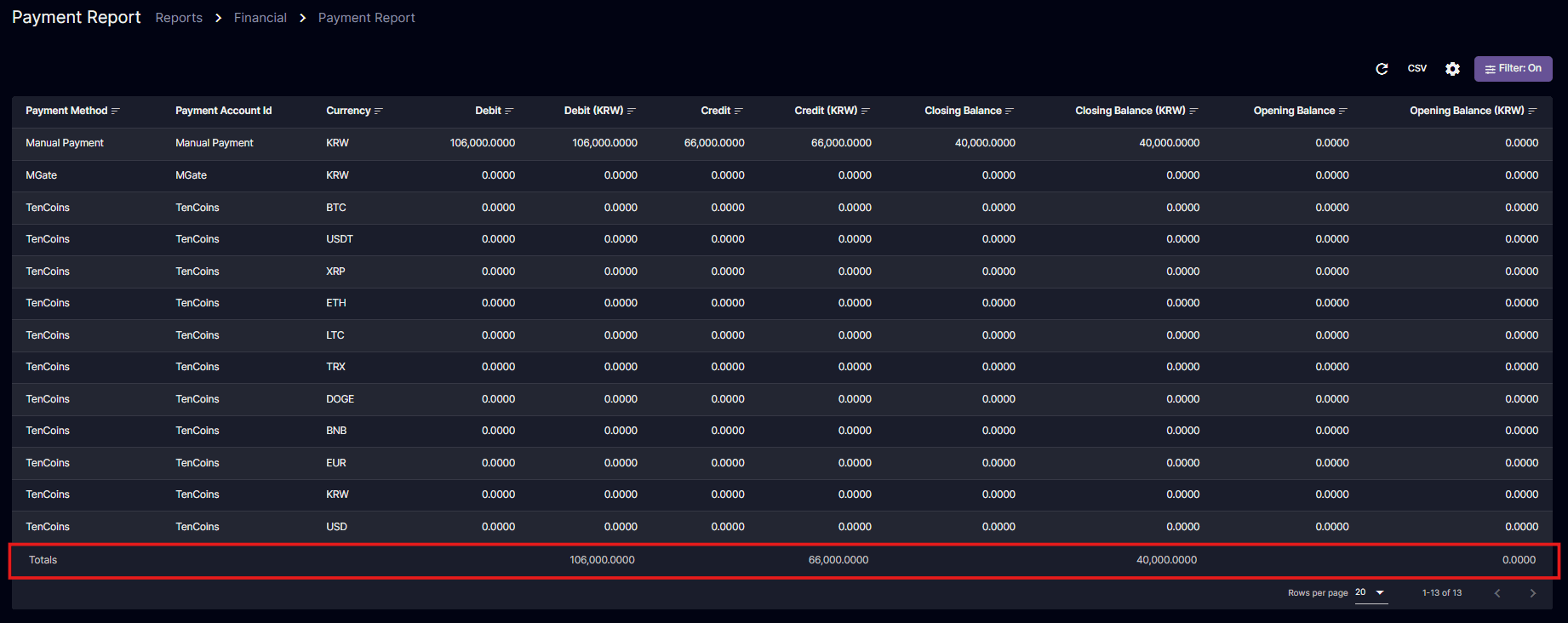
You can now see the ‘Totals’ (KRW/USD).

Sales Report
You can rearrange the order of columns. In here, I changed the position of the Bet Amount and Win Amount.
 Korean version: 재무 보고서 열 정렬 및 재정렬